Understanding Workspaces
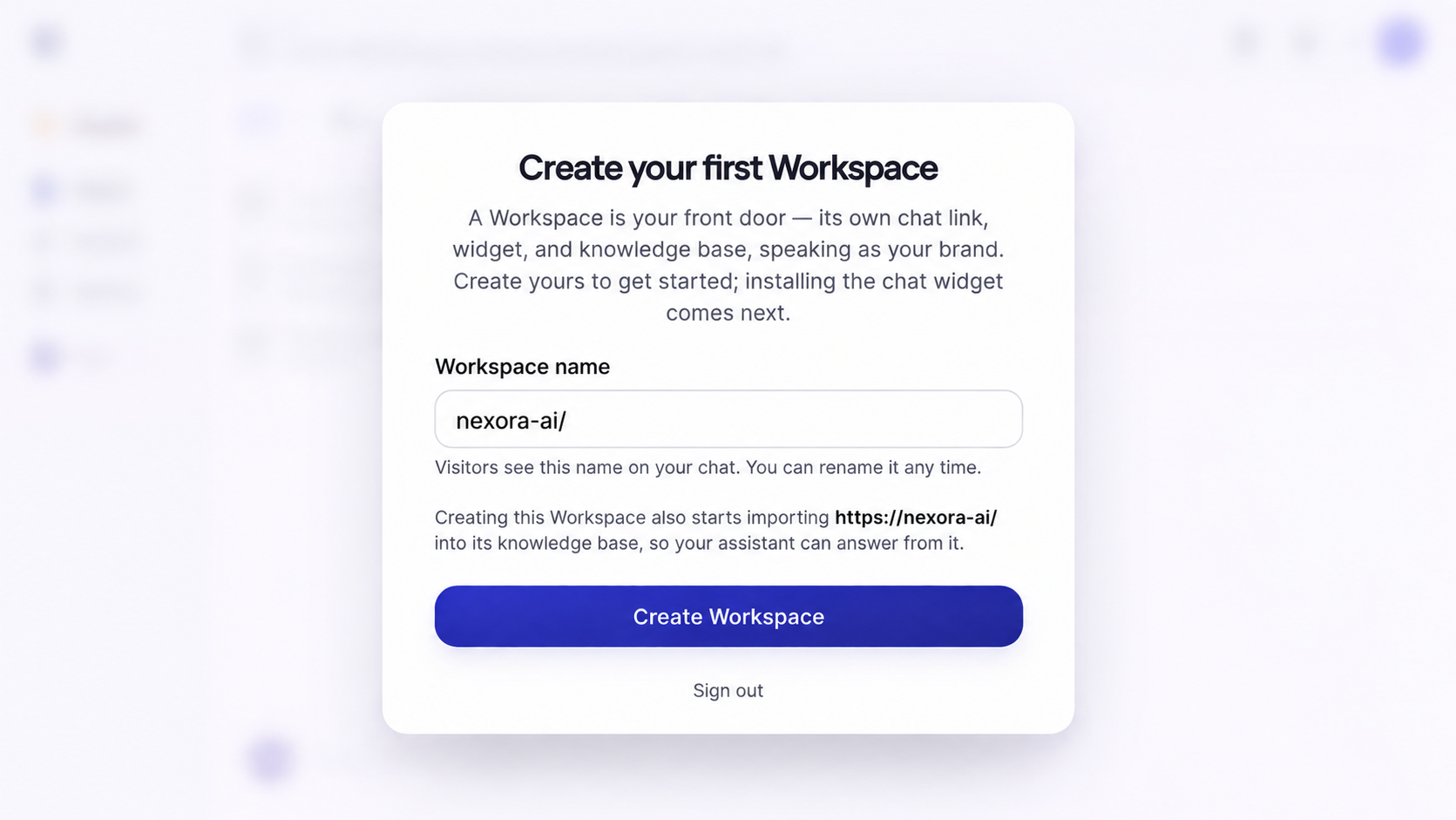
A JIVIQ Workspace is the front door for your customer chat interactions. It brings together your website chat widget, dedicated chat link, Knowledge Base, and brand AI assistant into one cohesive hub.
Every customer conversation in JIVIQ begins inside a Workspace. Whether a prospect clicks a chat bubble on your website, opens a direct link from your email signature, or asks questions to your AI assistant, that activity flows through your configured Workspace. Learn more about JIVIQ on our official homepage.
What Is a JIVIQ Workspace?
Think of a Workspace as your company's digital reception desk for customer conversations:
When you complete signup and verify your email, JIVIQ automatically prompts you to initialize your first Workspace. This gives your business a dedicated customer touchpoint equipped with conversational intelligence, live chat, and automated customer routing.
Why Does JIVIQ Use Workspaces?
Modern businesses often engage customers across different channels, separate brands, or distinct departments (like sales inquiries vs. technical support). JIVIQ uses Workspaces to provide three critical architectural advantages:
1. Isolated Brand Identity
Each Workspace has its own name, branding, custom chat link, and tone of voice for customer-facing touchpoints.
2. Targeted Knowledge Base
Train your AI on exact website URLs, pricing sheets, or FAQs specific to that brand or department.
3. Dedicated AI Modes
Configure Autopilot, Copilot, or Off settings independently per workspace to fit your team's workflow.
4. Unified Customer Records
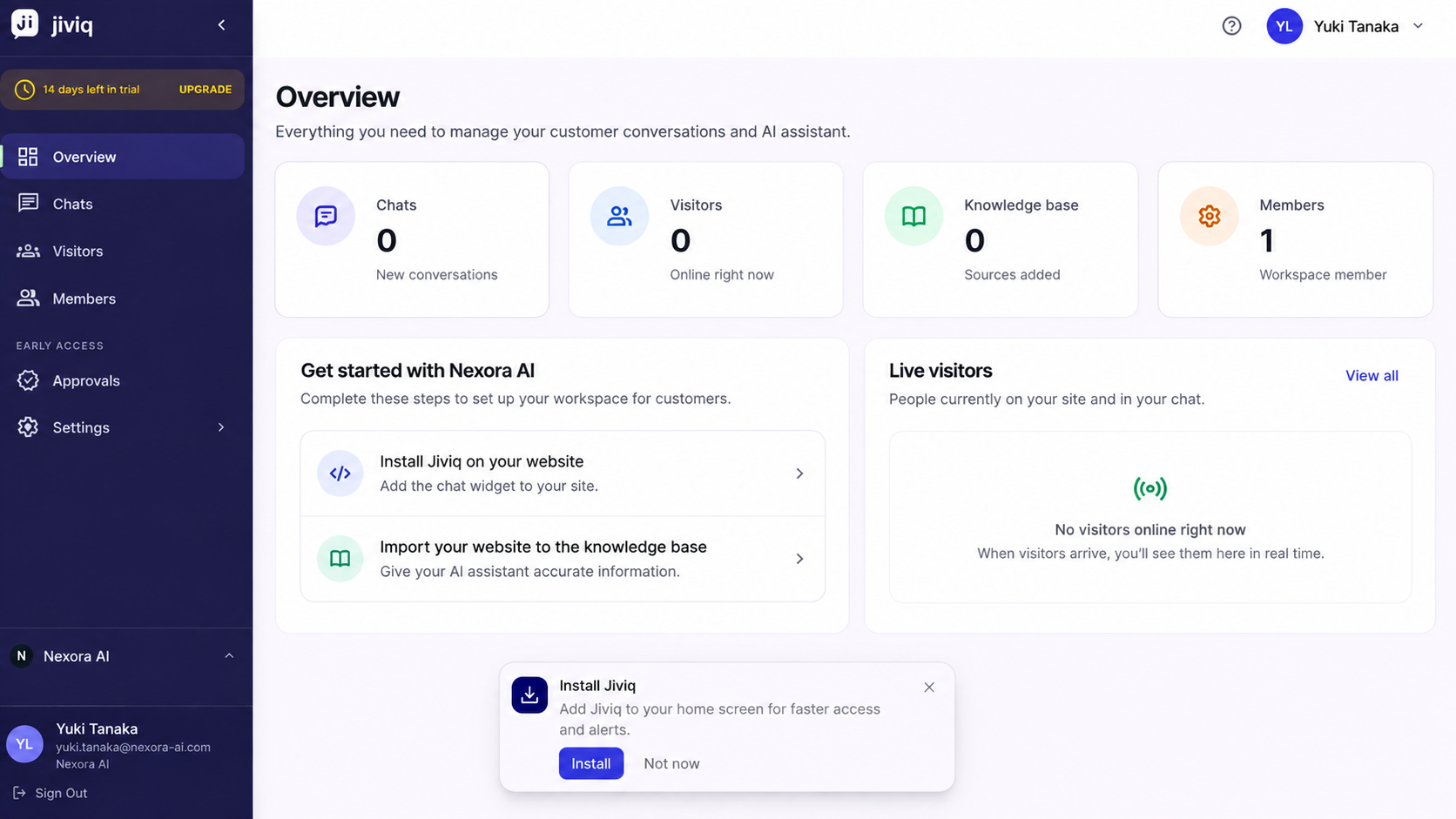
Every conversation across all workspaces feeds into one centralized customer record by default.
What Does a Workspace Include?
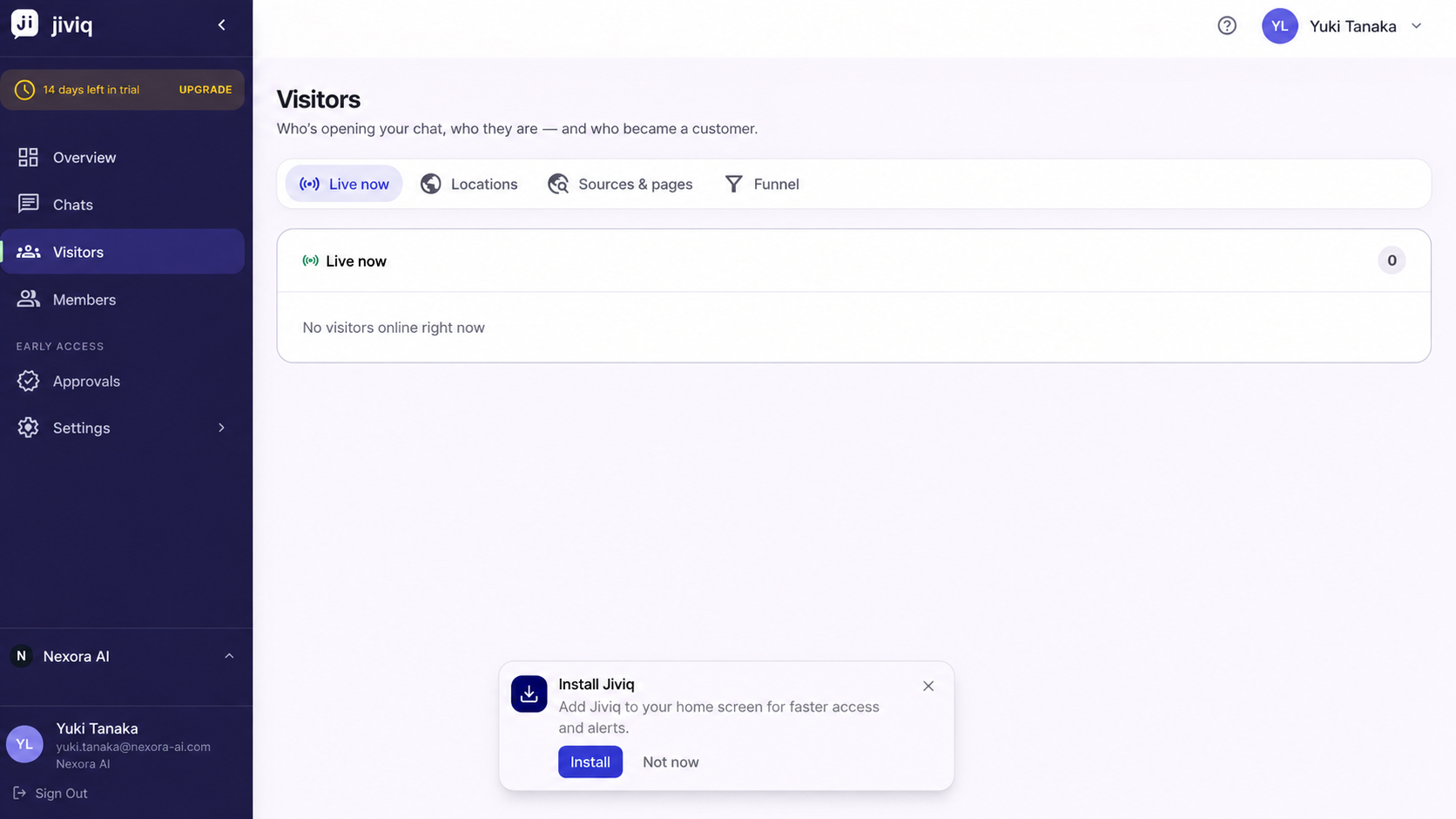
Every newly created Workspace provides four integrated assets:
Dedicated Chat Link
A clean, standalone URL you can share in email footers, social bios, and outreach messages.
Website Widget Code
A lightweight script snippet to install live AI chat and voice calls on your website.
Knowledge Base
The repository where you import website URLs and documents to ground your AI answers.
Brand AI Assistant
An AI assistant configured to speak in your brand tone and answer questions 24/7.
Your Workspace and Customer Conversations
In traditional software, creating separate workspaces often silos your customer data into isolated databases. JIVIQ solves this with a unified data architecture:
How Many Workspaces Do I Need?
Most businesses need exactly one Workspace. A single Workspace provides all the tools required to manage your website widget, conversational AI, team inbox, and customer context.
When Should I Create Another Workspace?
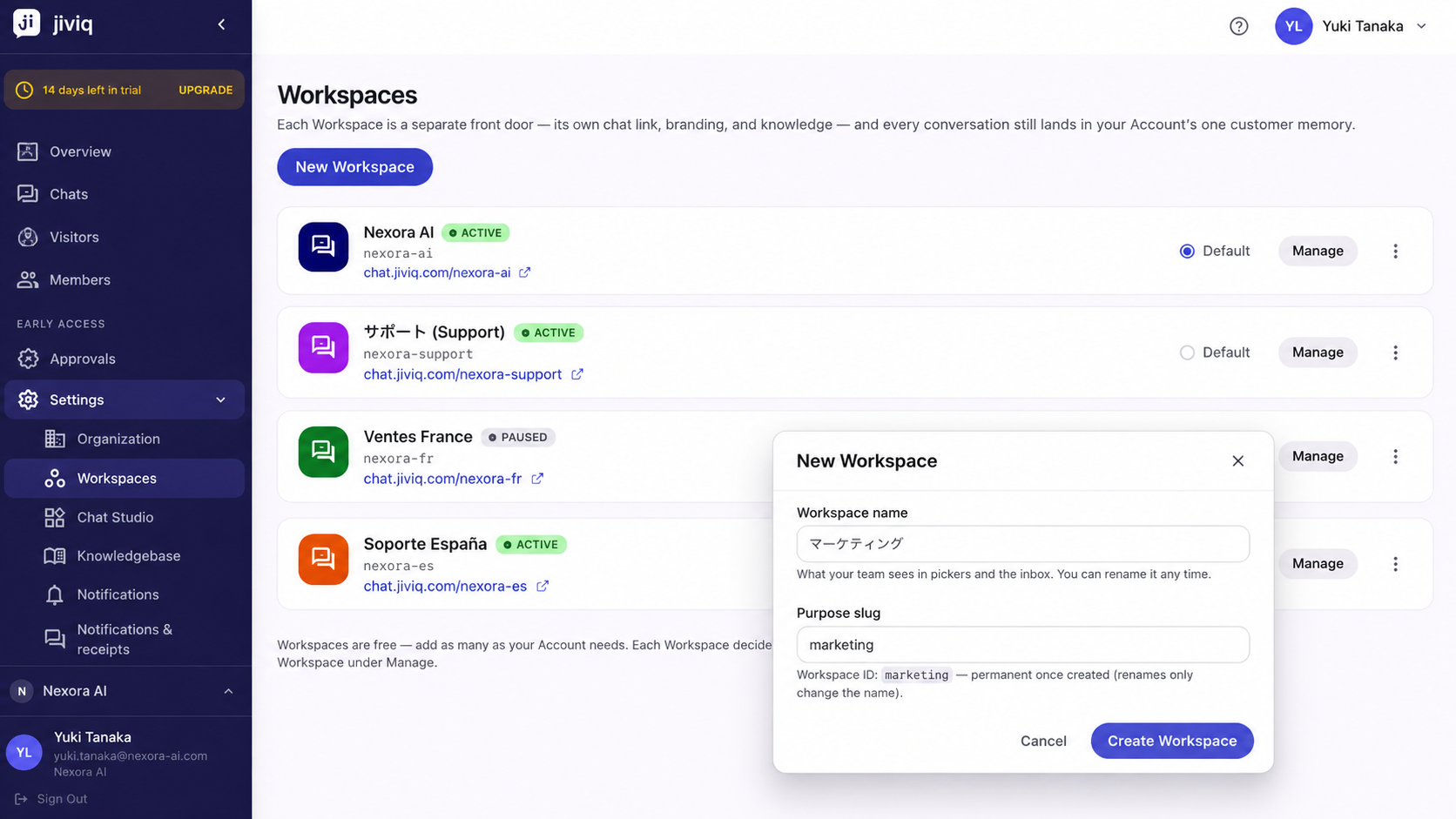
Account owners and administrators can create additional Workspaces under Settings → Workspaces in scenarios such as:
If your company operates distinct sister brands or product lines that require unique brand names, different website chat widgets, and separate logos.
If you want a dedicated sales widget with aggressive lead capture and a separate support widget grounded strictly in technical documentation.
If your organization manages localized subsidiaries with dedicated knowledge bases and operating hours.
What to Do After Understanding Your Workspace
Now that you understand what a Workspace is, here are the recommended setup steps:
1. Configure Workspace Settings
Review your Workspace name, timezone, and general preferences in our Workspace Settings guide.
2. Select AI Responder Mode
Choose between Autopilot, Copilot, and Off in our AI Responder Settings guide.
3. Install the Chat Widget
Embed the one-line script snippet onto your site using the Install Widget guide.
4. Import Your Knowledge Base
Sync your website URLs and FAQs into JIVIQ so your AI answers accurately with Import Website.
Explore what JIVIQ can do across AI chat, meetings, audio calls, and unified context.
Frequently Asked Questions
Browse questions by category to learn all about JIVIQ Workspaces:
A Workspace is the customer-facing front door for your company's chat interactions. Each Workspace has its own standalone chat link, embeddable widget code snippet, dedicated Knowledge Base, and customized AI assistant.
Workspaces allow you to configure distinct brand identities, chat widgets, and specialized knowledge bases while keeping all customer interaction history unified in your account's shared customer record by default.
No. Your first Workspace is created automatically inside the JIVIQ admin app right after you complete email verification and sign in for the first time.
Every Workspace includes: (1) a dedicated standalone chat link, (2) an embeddable website widget code snippet, (3) a dedicated Knowledge Base, and (4) a brand-aligned AI assistant that answers customer questions.
Every conversation across all Workspaces feeds directly into your account's shared customer record by default, ensuring your team has unified context on every customer.
Yes. Owners and admins can update the Workspace display name anytime under Settings → Workspaces.
Most businesses need exactly one Workspace. A single Workspace handles your website widget, direct chat link, Knowledge Base, and team inbox seamlessly.
You should create an additional Workspace if your company operates multiple distinct brands or requires completely separate customer-facing touchpoints (such as dedicated sales and support desks with different knowledge bases).
Only account owners and administrators have permission to create and manage additional Workspaces under Settings → Workspaces.
When you import your website URLs or documents into your Workspace Knowledge Base, your AI assistant references those verified facts to deliver accurate, grounded answers to visitor inquiries.
Each Workspace maintains its own dedicated Knowledge Base so you can tailor training materials and brand documentation specifically to each brand or department.
No. AI responder settings, response modes (Autopilot, Copilot, Off), and knowledge sources are configured independently per Workspace.
Navigate to Settings → Workspaces inside the JIVIQ admin app. If you do not see this menu option, verify that your account has owner or admin privileges.
Ensure that your website chat widget snippet has been installed on your website and that your account is connected. Review our official Install Widget guide at https://jiviq.com/help/website-installation/install-jiviq-on-your-website.
You can email JIVIQ support directly at support@jiviq.com or consult our official troubleshooting guide at https://jiviq.com/help/login-troubleshooting.
Workspace Setup Sequence
Follow all four guides in the official Workspace Setup series:
Understanding Workspaces
Learn what a Workspace is, why it exists, and what components it brings together.
Workspace Settings
Configure your Workspace name, timezone, and workspace-level preferences.
AI Responder Settings
Understand Autopilot, Copilot, and Off response modes for your workspace.
Choosing Your AI Mode
A decision guide to select the right AI operating mode for your team.